
01. Overview & Architecture

Schema validatedSource pinned
Purpose
Live video wallpaper extension for GNOME.
Compatibility
Any distro (Server: WAYLAND)
Desktop Part
DE extensions
Window Manager & Theme
GNOME / Other

02. Installation & Deployment

Before you installThis changes your desktop configuration and installs packages. Run it as your normal user, never with sudo: it asks for sudo only where a step needs it (listed below).The guided installer shows its plan first. Files it would replace are kept unless you approve. Everything it copies, clones or appends to in your home folder is backed up and verified first, and --rollback restores it. Packages, sudo changes and the other commands listed under Impact are not undone.
IntegrityEach release from main builds the installers in GitHub Actions and signs them with a GitHub build attestation. Verify your download against the repository, not this website (Option B, step 2). If it does not verify, don't run it.
ImpactPackages: gnome-shell-extension-hanabi-git (some from the Arch AUR)
RecoveryGuided: backups in ~/.local/state/0xtsoa/backups/, undo with bash install.sh --rollback.Manual: the steps below only write in the download folder or run listed commands.
Option A: manual installAdvanced
Read the source at the reviewed commit, back up, then run each step yourself.
$git clone https://github.com/jeffshee/gnome-ext-hanabi ~/0xtsoa-review/jeffshee-gnome-ext-hanabi# 1. clone to a review folder
$git -C ~/0xtsoa-review/jeffshee-gnome-ext-hanabi checkout --detach c18dd7666606f893e5caf4a96066975530761dc8# 2. the reviewed commit
Then the steps. Package commands are written for Arch; on other distros use your package manager.

Step-by-step deployment protocol

Step-by-step deployment
1Install gnome-shell-extension-hanabi-git (AUR)
$yay -S gnome-shell-extension-hanabi-git # AUR
$# Other distros: see the upstream README
2Enable it
$# Log out and back in, then enable it in Extension Manager or: gnome-extensions enable <uuid>
Option B: guided installerRecommended
The same steps as one script for any distro. It shows the plan first, keeps files you already have unless you approve replacing them, and backs up everything it changes in your home folder. Never pipe it into a shell.
$curl -fsSLo install.sh 'https://www.0xtsoa.dev/configs/jeffshee/gnome-ext-hanabi/install.sh'# 1. download
$gh attestation verify install.sh --repo nyharena25/0xTsoa --signer-workflow nyharena25/0xTsoa/.github/workflows/attest-installers.yml# 2. verify (GitHub CLI 2.49+, signed in)
$less install.sh# 3. read it
$bash install.sh --dry-run# 4. preview: changes nothing
$bash install.sh# 5. install (asks first)
$bash install.sh --rollback# undo the file changes
View script in browserOther options: --force (replace conflicts, backed up first), --yes, --help

03. Screenshot Gallery // Hanabi

Capture 01 // Fullscreen
Desktop showcase capture
01 / 01

04. Documentation & Guide

Source: jeffshee/gnome-ext-hanabiRef: c18dd76666
README.md|GitHub Flavored Markdown

Live Wallpaper for GNOME

Hanabi 花火【はなび】(n) fireworks

( ・ω・)o─━・*:'・:・゜'・:※

GNOME Shell Extension - Hanabi

If you like my project, please consider buying me a coffee!! (⁎˃ ꇴ ˂⁎)ッ

![Github-sponsors](https://img.shields.io/badge/sponsor-30363D?style=for-the-badge&logo=GitHub-Sponsors&logoColor=#EA4AAA) ![Ko-Fi](https://img.shields.io/badge/Ko--fi-F16061?style=for-the-badge&logo=ko-fi&logoColor=white) ![BuyMeACoffee](https://img.shields.io/badge/Buy%20Me%20a%20Coffee-ffdd00?style=for-the-badge&logo=buy-me-a-coffee&logoColor=black)

Also please don't forget to hit that star button! 🌟
Feel free to open an issue for problems or suggestions 🤗
Your support is truly appreciated!

Join our Discord!

![Discord](https://img.shields.io/badge/Discord-%235865F2.svg?style=for-the-badge&logo=discord&logoColor=white)

Demo 📽️

Please click on the image to view (redirect to YouTube)
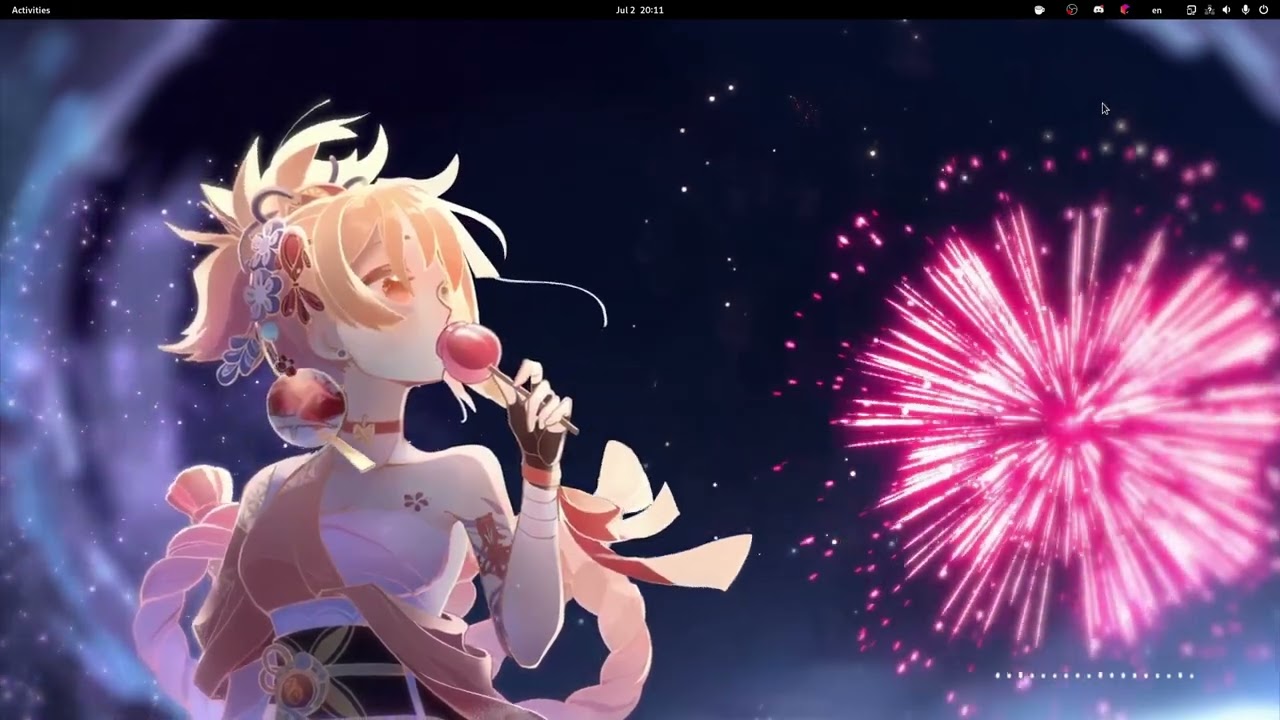
![](https://i3.ytimg.com/vi/BWjXl4h9_BA/maxresdefault.jpg) Wallpaper used in demo

Hanabi has migrated to TypeScript!

Important

The TypeScript rewrite has landed on the main branch~ ✨ Better type safety and maintainability, targeting GNOME 50+, Wayland only.

The javascript branch is in maintenance mode for GNOME 45–50 — bugs still get fixed there, but no new fireworks. (・ω・)ノ

GNOME Shell Support

Version 42–44 45–50 50+
Status ⚠️ ✅ ✅
Branch legacy javascript main

Installation

  1. Clone the branch for your GNOME Shell version
  • GNOME 50 and later (TypeScript, Wayland only) 🔥

    git clone https://github.com/jeffshee/gnome-ext-hanabi.git
    
  • GNOME 45–50 (JavaScript, X11 and Wayland)

    git clone https://github.com/jeffshee/gnome-ext-hanabi.git -b javascript
    
  1. Run the installation script

    cd gnome-ext-hanabi
    make install
    

    Build dependencies

    • main branch: meson, node, and npm
    • javascript branch: meson
  2. Restart GNOME Shell

  3. Enable the Hanabi extension

  4. Choose your video wallpaper in the extension preference window

Distro-specific Guides

See the distro-specific guides for installation instructions.

Troubleshooting

  1. The video doesn't play / The extension is enabled but nothing happens
    The GTK4 media backend is not pre-installed on some distributions (such as PopOS).

    To install the backend:
    sudo apt install libgtk-4-media-gstreamer

  2. High CPU usage during video playback (proprietary NVIDIA)
    Your hardware acceleration may not work properly, see this issue.

    To delete the GStreamer cache:
    rm -rf ~/.cache/gstreamer-1.0/
    After that, check if gst-inspect-1.0 nvcodec reports all its features.

  3. Blur My Shell — wallpaper becomes semi-transparent
    If you use the Blur My Shell extension with Applications → Applications blur → Enable all by default turned on, add an exception for the Hanabi renderer.

    In Blur My Shell settings, go to Applications → Applications blur → Blacklist and add:
    io.github.jeffshee.HanabiRenderer

Advanced Usage

Video backend selection & scripting

Hanabi uses gtk4paintablesink (from GStreamer) as the default video sink, which offers good performance and broad compatibility.

Optionally, clappersink from Clapper can be used instead via Preferences → Developer → Prefer clappersink. Clapper must be installed from the package manager and not from Flatpak/Snap for this to work.

There is a known compatibility issue with clappersink on native installs with GStreamer 1.26+. If you encounter crashes after enabling this option, please disable it.

For more advanced customization, learn how to write scripts for Hanabi extension!
Check out the scripting guide for detailed instructions and examples.

Get Involved 🚀

Contributors are welcome! Let's make Hanabi extension better together~

Development

See the development guide for instructions.

Translation

If you're interested in translating, you can help on Hosted Weblate.

![Translation status](https://hosted.weblate.org/widget/gnome-ext-hanabi/gnome-ext-hanabi/multi-auto.svg)

Contributors ✨

Made with contributors-img.
Icons made by Freepik from Flaticon

GitHub Flavored Markdown (github-markdown-css)README snapshot at c18dd76666
