
Extension Manager
A native tool for browsing, installing, and managing GNOME Shell Extensions
    
Written with GTK 4 and libadwaita
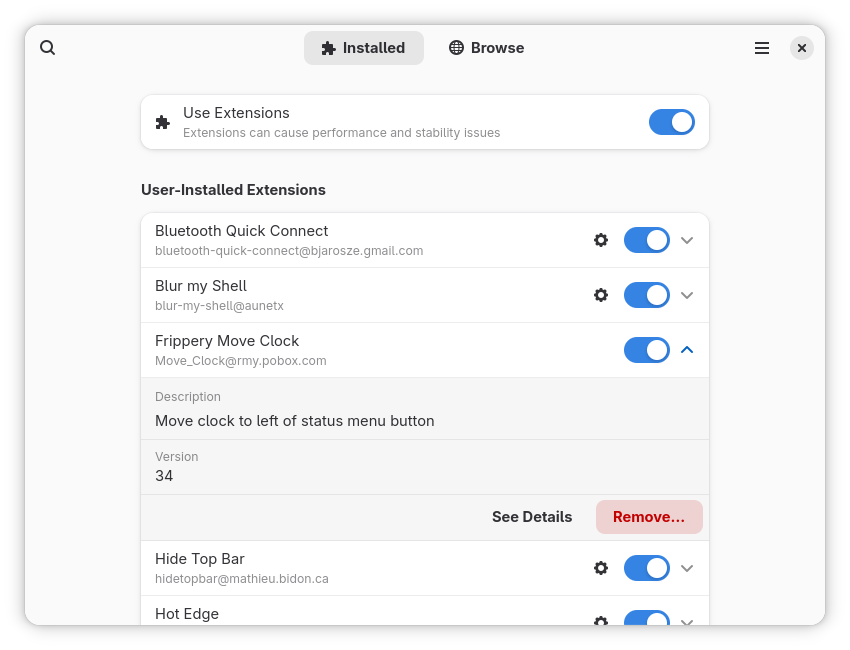
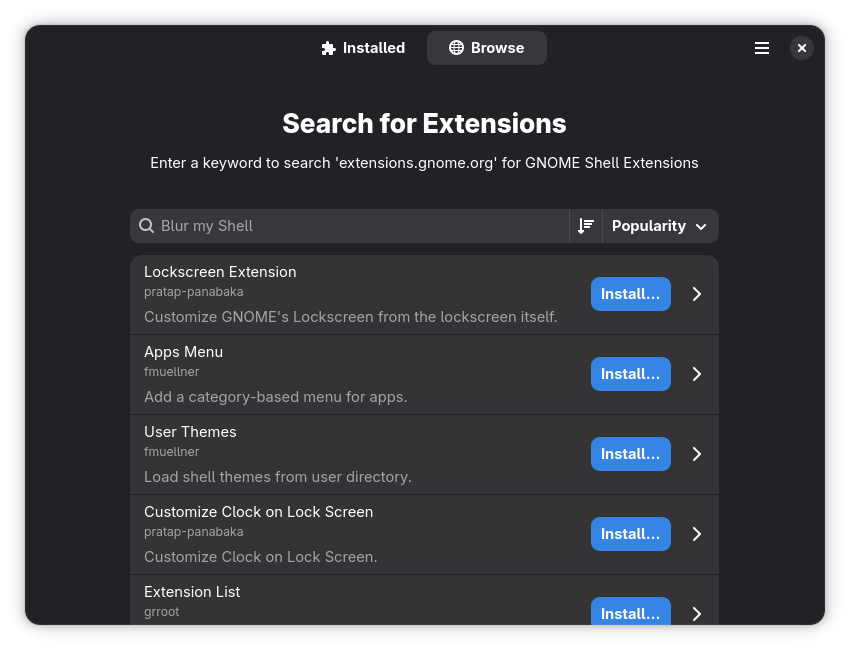
📋 Features
The tool supports:
- Browsing and searching extensions from
extensions.gnome.org - Installation and Removal
- Enabling and Disabling
- Updating in-app (GNOME 43+)
- Screenshots & Images
- Ratings & Comments
- Translations (add your language!)
If there's something you'd like to see, contributions are welcome!
💬 Community
We now have a matrix room for Extension Manager.
Join and say hello! https://matrix.to/#/#extension-manager:matrix.org
💻 Installing
Flatpak is the recommended way to install Extension Manager.
You can get the latest version from flathub by clicking the button below. There may also be independently-maintained packages available for your distribution.
Third Party Packages
You may also be able to obtain Extension Manager from your distribution's package manager.
Important
These packages are maintained independently and thus may differ from the official version on Flathub. There is no guarantee of support. Please report any issues experienced to the package maintainer (not here!).

🌐 Translations
Extension Manager is translated into more than 30 languages.
Note
We use Weblate - an open source continuous localisation tool - for translation management. Access to Hosted Weblate is kindly provided free of charge to the Extension Manager project.
Contribute
Contributions to translations are always welcome!
We have a comprehensive translation guide here.
If you are new to Localisation (l10n), fear not! The entire process is explained above in as much detail as possible. If you have any trouble, please also get in touch.
⚠️ Known Issues
Extensions are not being updated
Updates do not work out of the box on GNOME 40 and certain older versions of GNOME 41 and 42 unless the official GNOME Extensions app is also installed. See here for details and a simple workaround: Wiki Page
⏰ Using Unsupported Extensions
GNOME Shell will not load extensions that were not designed for your current version. You can override this behaviour by manually disabling GNOME Shell's version check. Extension Manager will respect this preference and allow you to use unsupported extensions fully.
Caution
Unsupported extensions will likely not work as intended and may introduce instability to your system. Disable the version check at your own risk.
Important
Re-enable the version check before filing issues against GNOME components.
Turn off the version check and allow unsupported extensions:
gsettings set org.gnome.shell disable-extension-version-validation true
Use the default setting and return to safety:
gsettings reset org.gnome.shell disable-extension-version-validation
🔨 Building
The easiest way to build is by cloning this repo with GNOME Builder. It will automatically resolve all relevant flatpak SDKs automatically.
Extension Manager needs a recent version of the GNOME SDK in order to build. See the Development or Stable Flatpak manifests for a full dependency list.
Dependencies
Extension Manager depends on the following libraries:
- gettext
- glycin (and glycin-gtk4)
- gtk4
- libadwaita
- libjson-glib
- libsoup
- libxml2
- blueprint
On Debian-based distributions, the required dependencies can be installed with the following command:
sudo apt install blueprint-compiler gettext libadwaita-1-dev libglycin-2-dev libglycin-gtk4-2-dev libgtk-4-dev libjson-glib-dev libsoup-3.0-dev libxml2-dev meson
Building From Source
meson setup _build
meson compile -C _build
meson install -C _build
👫 Code of Conduct
This project follows the GNOME Code of Conduct. Please adhere to it in all project spaces and interactions.