01. Overview & Architecture

Profile: 2.16.1
Schema validatedSource pinned
Purpose
Full Hyprland desktop with a settings app, wallpaper-driven colors and guided installer.
Compatibility
Arch Linux, Fedora, openSUSE (Server: WAYLAND)
Window Manager & Theme
Hyprland / Wallpaper-based

02. Installation & Deployment

Before you installThis changes your desktop configuration. Run it as your normal user, never with sudo: it asks for sudo only where a step needs it (listed below).The guided installer shows its plan first. Files it would replace are kept unless you approve. Everything it copies, clones or appends to in your home folder is backed up and verified first, and --rollback restores it. Packages, sudo changes and the other commands listed under Impact are not undone.
IntegrityEach release from main builds the installers in GitHub Actions and signs them with a GitHub build attestation. Verify your download against the repository, not this website (Option B, step 2). If it does not verify, don't run it.
ImpactRuns the upstream installer bash setup, which manages its own files. The guided installer backs up your usual desktop config folders first.
RecoveryGuided: backups in ~/.local/state/0xtsoa/backups/, undo with bash install.sh --rollback.Manual: back up first (Option A, step 3).
Option A: manual installAdvanced
Read the source at the reviewed commit, back up, then run each step yourself.
$git clone https://github.com/mylinuxforwork/dotfiles ~/0xtsoa-review/mylinuxforwork-dotfiles# 1. clone to a review folder
$git -C ~/0xtsoa-review/mylinuxforwork-dotfiles checkout --detach cc3c539bb182620e922ffebcee2e404c7299def8# 2. the reviewed commit
$for p in ~/.config/hypr ~/.config/quickshell ~/.config/waybar ~/.config/eww ~/.config/ags ~/.config/hyprpanel ~/.config/kitty ~/.config/foot ~/.config/alacritty ~/.config/wezterm ~/.config/ghostty ~/.config/rofi ~/.config/wofi ~/.config/fuzzel ~/.config/dunst ~/.config/mako ~/.config/swaync ~/.config/i3 ~/.config/sway ~/.config/niri ~/.config/bspwm ~/.config/sxhkd ~/.config/awesome ~/.config/polybar ~/.config/picom ~/.config/qtile ~/.config/wlogout ~/.config/swaylock ~/.config/fish ~/.config/nvim ~/.config/fastfetch ~/.config/starship.toml ~/.config/matugen ~/.config/wal ~/.config/gtk-3.0 ~/.config/gtk-4.0 ~/.config/Kvantum ~/.config/qt5ct ~/.config/qt6ct ~/.bashrc ~/.zshrc ~/.themes; do [ -e "$p" ] && cp -a "$p" "$p.bak-0xtsoa"; done# 3. back up what the steps write
Read the upstream installer in ~/0xtsoa-review/mylinuxforwork-dotfiles before running it, and every script it calls.Then the steps. Package commands are written for Arch; on other distros use your package manager.

Step-by-step deployment protocol

Step-by-step deployment
1Clone the repository
$git clone --filter=blob:none https://github.com/mylinuxforwork/dotfiles
$git -C dotfiles checkout cc3c539bb182620e922ffebcee2e404c7299def8
$cd dotfiles
2Run the upstream installer
$bash setup
Option B: guided installerRecommended
The same steps as one script for any distro. It shows the plan first, keeps files you already have unless you approve replacing them, and backs up everything it changes in your home folder. Never pipe it into a shell.
$curl -fsSLo install.sh 'https://www.0xtsoa.dev/configs/mylinuxforwork/dotfiles/install.sh'# 1. download
$gh attestation verify install.sh --repo nyharena25/0xTsoa --signer-workflow nyharena25/0xTsoa/.github/workflows/attest-installers.yml# 2. verify (GitHub CLI 2.49+, signed in)
$less install.sh# 3. read it
$bash install.sh --dry-run# 4. preview: changes nothing
$bash install.sh# 5. install (asks first)
$bash install.sh --rollback# undo the file changes
View script in browserOther options: --force (replace conflicts, backed up first), --yes, --help

03. Documentation & Guide

Source: mylinuxforwork/dotfilesRef: cc3c539bb1
README.md|GitHub Flavored Markdown

ML4W OS - Dotfiles for Hyprland

An advanced configuration of Hyprland for Arch Linux based distributions (CachyOS), Fedora, Ubuntu and openSuse Tumbleweed.

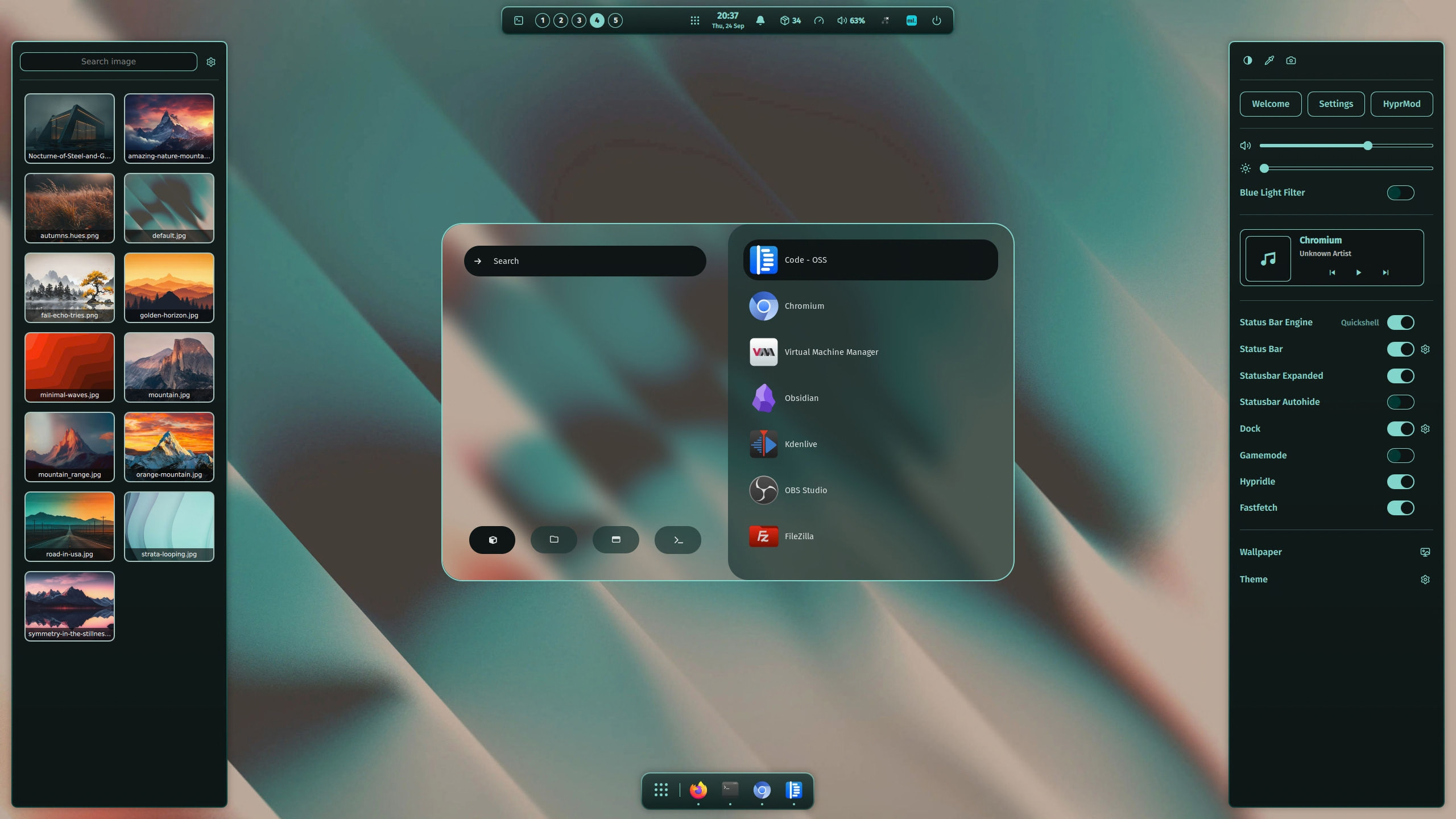
Full featured desktop environment based on the dynamic tiling window manager Hyprland with adaptive material color themes based on the selected wallpaper for all components. Including a comprehensive selection of apps with the ability to customize the configuration to your personal needs.
image

Installation and Documentation

You can find all installation options in the documentation of the ML4W OS for Hyprland here:
https://ml4w.com/os/

Quick Installation

Copy one of the following commands into your terminal:

bash <(curl -s https://ml4w.com/os/stable) # Stable Release
bash <(curl -s https://ml4w.com/os/rolling) # Rolling Release

Arch, Fedora, Ubuntu and openSuse Tumbleweed are directly supported.

Test and install with the ML4W OS Live ISO

Test the ML4W OS without risk on your computer or in a Virtual Machine with the ML4W Live ISO.

Download the ML4W ISO

You can install the ML4W OS on your hard drive with the command sudo install-ml4w-os (BETA).

Special Thanks

I want to say thank you to all contributors of the ML4W OS and all other Developers who are creating awesome configurations for our favorite Tiling Window Manager Hyprland. Your support, the testing of every version and all your valuable Pull Requests with improvements and bug fixes have repeatedly improved the overall project and increased its relevance and quality.

Special Thanks do to...

https://github.com/Affanmm for the great and professional ML4W Logo Design and much more. https://github.com/harilvfs for supporting me in creating the new Wiki https://ml4w.com/os/ https://github.com/dwilliam62 for all your support and testings since the start of the Project and so many more...

Inspirations

The following projects have inspired me:

and many more...

GitHub Flavored Markdown (github-markdown-css)README snapshot at cc3c539bb1