01. Overview & Architecture

Schema validatedSource pinned
Purpose
NixOS module that themes the whole system from one palette or wallpaper.
Compatibility
NixOS (Server: BOTH)
Window Manager & Theme
Any WM / DE / Wallpaper-based

02. Installation & Deployment

Before you installThis changes your desktop configuration. Run it as your normal user, never with sudo: it asks for sudo only where a step needs it (listed below).The guided installer shows its plan first. Files it would replace are kept unless you approve. Everything it copies, clones or appends to in your home folder is backed up and verified first, and --rollback restores it. Packages, sudo changes and the other commands listed under Impact are not undone.
IntegrityEach release from main builds the installers in GitHub Actions and signs them with a GitHub build attestation. Verify your download against the repository, not this website (Option B, step 2). If it does not verify, don't run it.
ImpactUses sudo: sudo nixos-rebuild switch --flake .
RecoveryGuided: backups in ~/.local/state/0xtsoa/backups/, undo with bash install.sh --rollback.Manual: the steps below only write in the download folder or run listed commands.
Option A: manual installAdvanced
Read the source at the reviewed commit, back up, then run each step yourself.
$git clone https://github.com/nix-community/stylix ~/0xtsoa-review/nix-community-stylix# 1. clone to a review folder
$git -C ~/0xtsoa-review/nix-community-stylix checkout --detach 2856c4c6a845b9bec98828ef197abe176e4806bb# 2. the reviewed commit
Then the steps. Package commands are written for Arch; on other distros use your package manager.

Step-by-step deployment protocol

Step-by-step deployment
1Add Stylix to your flake
$# flake.nix inputs: stylix.url = "github:nix-community/stylix";
$# modules: stylix.nixosModules.stylix
2Set a wallpaper and base16 scheme
$# configuration.nix: stylix.enable = true; stylix.image = ./wallpaper.png;
3Rebuild the system
$sudo nixos-rebuild switch --flake .
Option B: guided installerRecommended
The same steps as one script for any distro. It shows the plan first, keeps files you already have unless you approve replacing them, and backs up everything it changes in your home folder. Never pipe it into a shell.
$curl -fsSLo install.sh 'https://www.0xtsoa.dev/configs/nix-community/stylix/install.sh'# 1. download
$gh attestation verify install.sh --repo nyharena25/0xTsoa --signer-workflow nyharena25/0xTsoa/.github/workflows/attest-installers.yml# 2. verify (GitHub CLI 2.49+, signed in)
$less install.sh# 3. read it
$bash install.sh --dry-run# 4. preview: changes nothing
$bash install.sh# 5. install (asks first)
$bash install.sh --rollback# undo the file changes
View script in browserOther options: --force (replace conflicts, backed up first), --yes, --help

03. Screenshot Gallery // Stylix

Capture 01 // Fullscreen
GNOME 46
01 / 02

04. Documentation & Guide

Source: nix-community/stylixRef: 2856c4c6a8
README.md|GitHub Flavored Markdown

Stylix

About

Stylix is a theming framework for NixOS, Home Manager, nix-darwin, and Nix-on-Droid that applies color schemes, wallpapers, and fonts to a wide range of applications.

Unlike color scheme utilities such as base16.nix or nix-colors, Stylix goes further by applying themes to supported applications, following the "it just works" philosophy.

Resources

Example configurations

GNOME 46
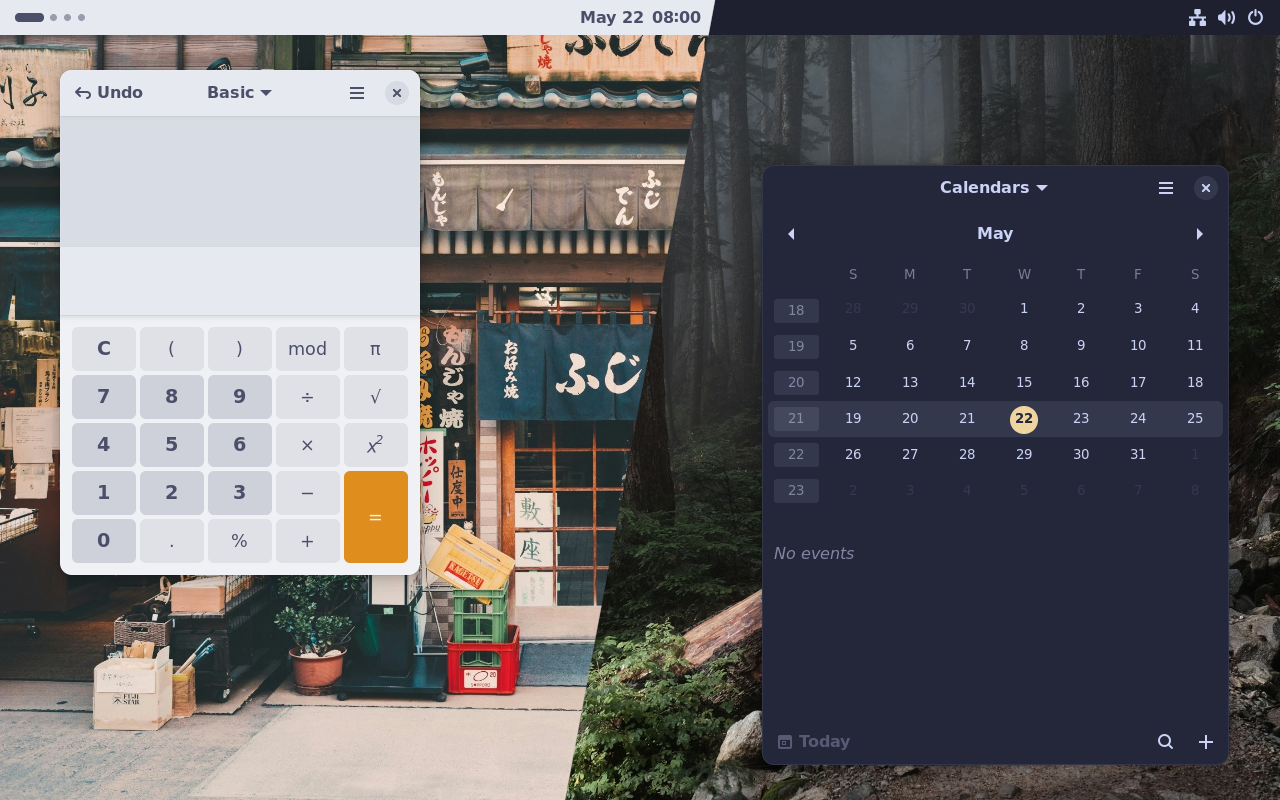
GNOME 46

Wallpapers by Clay Banks and Derrick Cooper.

Try a live demo of this dark theme by running:

nix run github:nix-community/stylix#testbed:gnome:dark

KDE Plasma 5
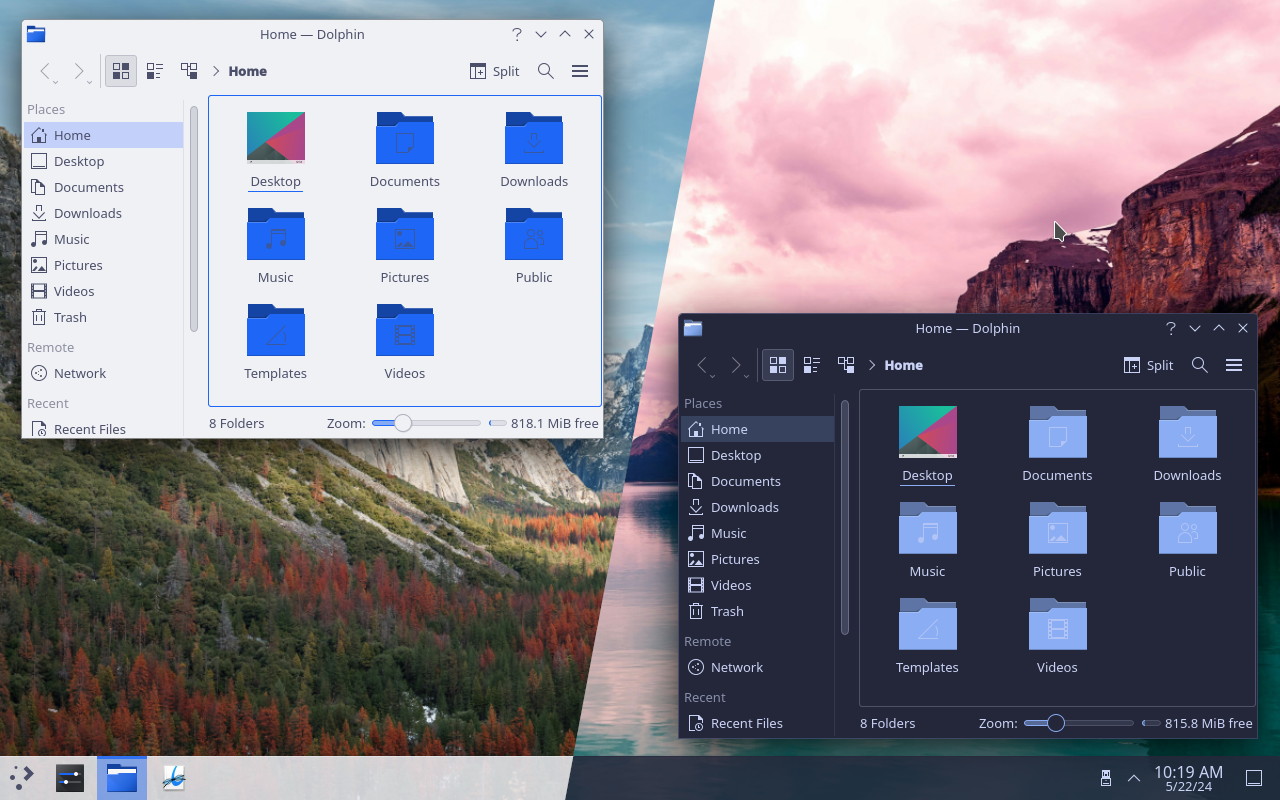
KDE Plasma 5

Wallpapers by Aniket Deole and Tom Gainor.

Since KDE theming is still a work in progress, some manual steps may be required to properly apply its theme.

GitHub Flavored Markdown (github-markdown-css)README snapshot at 2856c4c6a8