01. Overview & Architecture

Profile: 1.15.1
Schema validatedSource pinned
Purpose
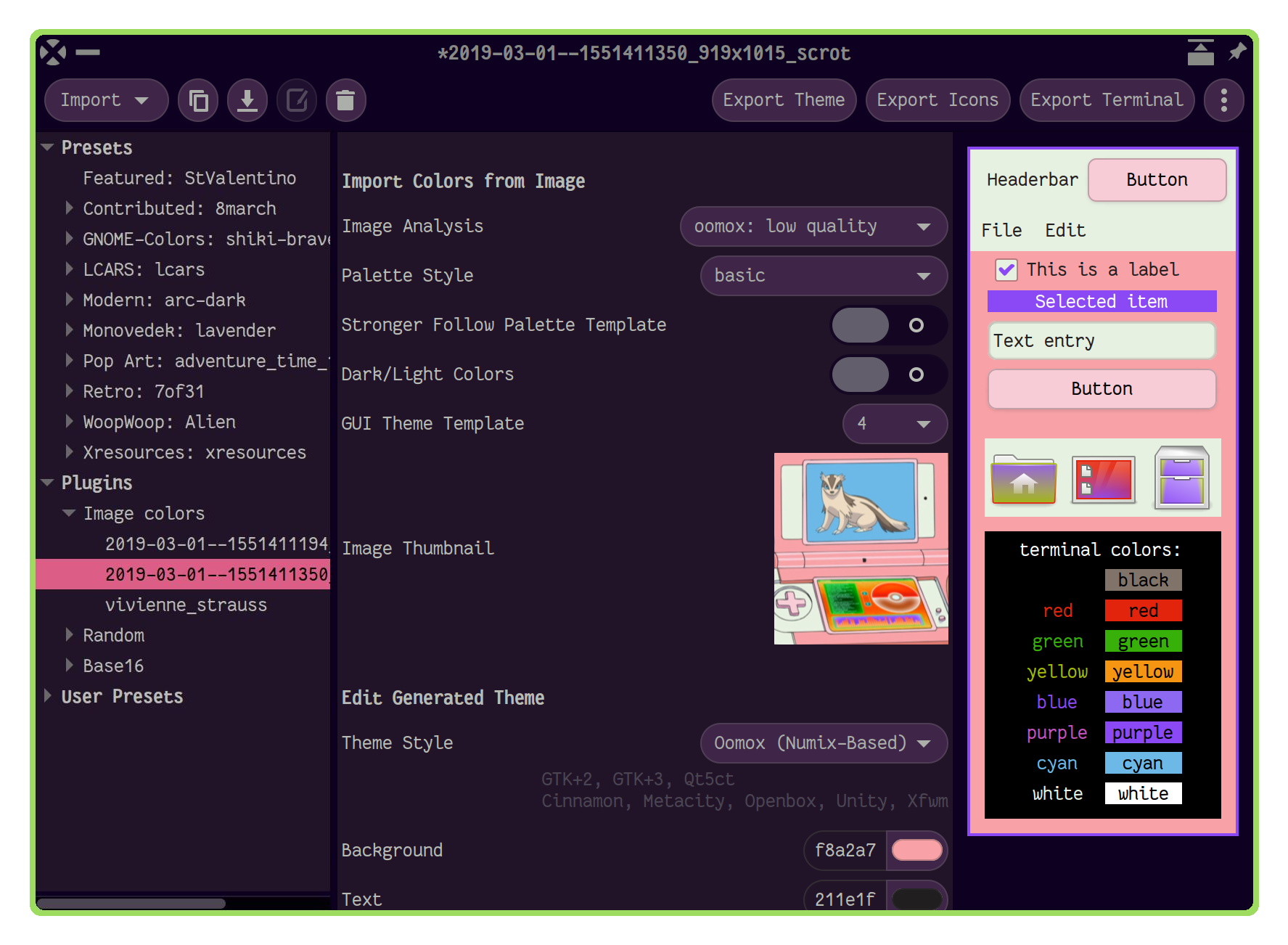
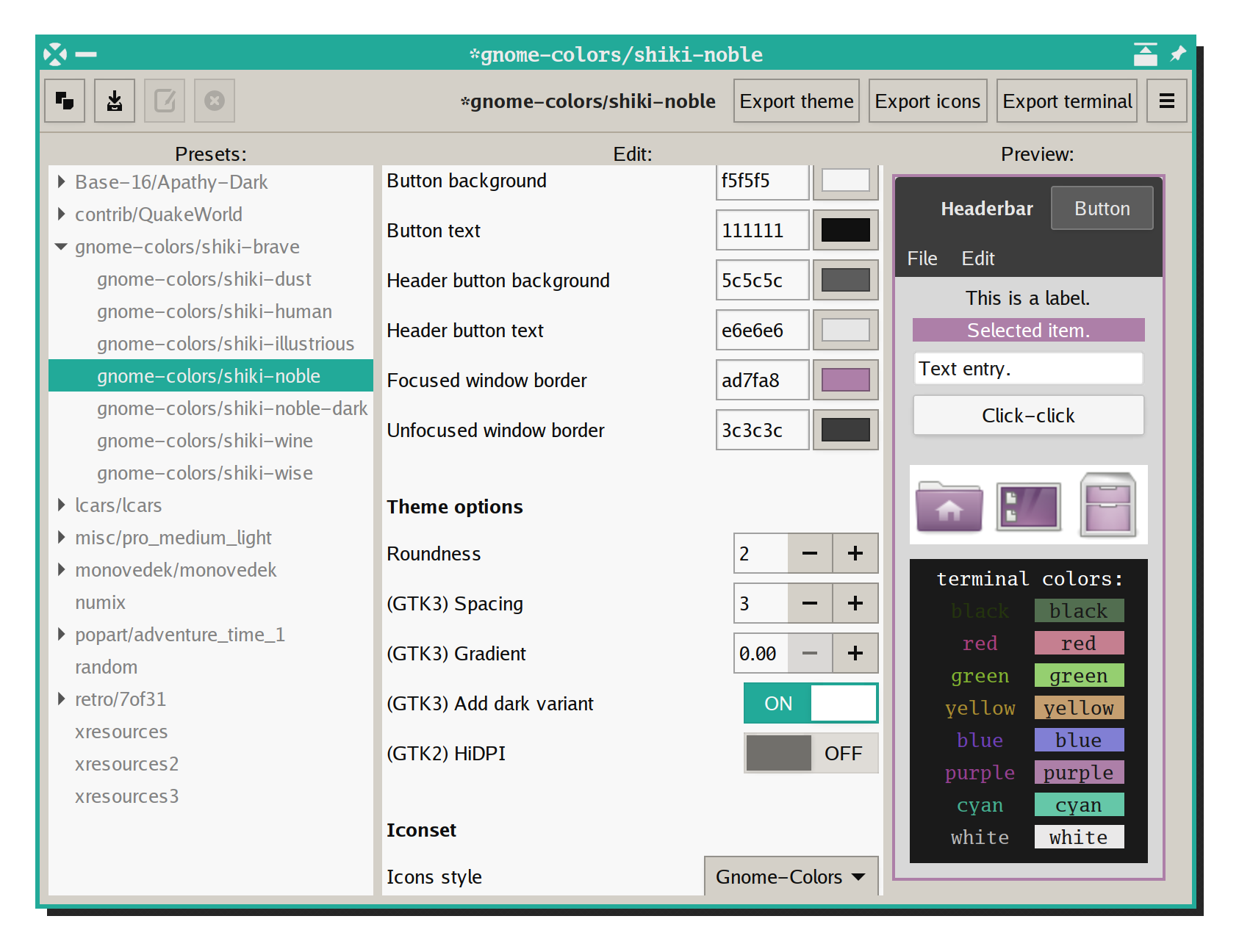
GUI to generate your own GTK2/3, icon and terminal themes.
Compatibility
Any distro (Server: BOTH)
Desktop Part
GTK & shell themes
Window Manager & Theme
Any WM / DE / Other

02. Installation & Deployment

Before you installThis changes your desktop configuration and installs packages. Run it as your normal user, never with sudo: it asks for sudo only where a step needs it (listed below).The guided installer shows its plan first. Files it would replace are kept unless you approve. Everything it copies, clones or appends to in your home folder is backed up and verified first, and --rollback restores it. Packages, sudo changes and the other commands listed under Impact are not undone.
IntegrityEach release from main builds the installers in GitHub Actions and signs them with a GitHub build attestation. Verify your download against the repository, not this website (Option B, step 2). If it does not verify, don't run it.
ImpactPackages: themix-full-git (some from the Arch AUR)
RecoveryGuided: backups in ~/.local/state/0xtsoa/backups/, undo with bash install.sh --rollback.Manual: the steps below only write in the download folder or run listed commands.
Option A: manual installAdvanced
Read the source at the reviewed commit, back up, then run each step yourself.
$git clone https://github.com/themix-project/themix-gui ~/0xtsoa-review/themix-project-themix-gui# 1. clone to a review folder
$git -C ~/0xtsoa-review/themix-project-themix-gui checkout --detach fc15a4fd2db46c40937fa7d93f37ada123f722b8# 2. the reviewed commit
Then the steps. Package commands are written for Arch; on other distros use your package manager.

Step-by-step deployment protocol

Step-by-step deployment
1Install themix-full-git (AUR)
$yay -S themix-full-git # AUR
$# Other distros: see the upstream README
Option B: guided installerRecommended
The same steps as one script for any distro. It shows the plan first, keeps files you already have unless you approve replacing them, and backs up everything it changes in your home folder. Never pipe it into a shell.
$curl -fsSLo install.sh 'https://www.0xtsoa.dev/configs/themix-project/themix-gui/install.sh'# 1. download
$gh attestation verify install.sh --repo nyharena25/0xTsoa --signer-workflow nyharena25/0xTsoa/.github/workflows/attest-installers.yml# 2. verify (GitHub CLI 2.49+, signed in)
$less install.sh# 3. read it
$bash install.sh --dry-run# 4. preview: changes nothing
$bash install.sh# 5. install (asks first)
$bash install.sh --rollback# undo the file changes
View script in browserOther options: --force (replace conflicts, backed up first), --yes, --help

03. Screenshot Gallery // Themix (Oomox)

Capture 01 // Fullscreen
Themix (Oomox) screenshot 1
01 / 07

04. Documentation & Guide

Source: themix-project/themix-guiRef: fc15a4fd2d
README.md|GitHub Flavored Markdown

Themix GUI designer

![Code Style](https://github.com/themix-project/oomox/actions/workflows/ci.yml/badge.svg) ![Commit Activity](https://img.shields.io/github/commit-activity/y/themix-project/themix-gui?color=pink&logo=amp&logoColor=pink)

Graphical application for designing themes and exporting them using plugins, for example:

Import plugins also available, such as:

  • generating color palettes from image;
  • importing it from Xresources;
  • or huge collection of Base16 themes.

Table of contents:

Screenshot image importScreenshot GUI

Big screenshot with number of generated themes 🔗

Latest Oomox GTK theme screenshots 🔗

Installation

Arch Linux

Install
pikaur -S themix-full-git

AUR helpers are not officially supported by Arch Linux, so you can also install it manually from rolling-release PKGBUILD.

Open the GUI
themix-gui

Debian, Ubuntu, Linux Mint

deb-based releases are currently abandoned, this way works for installing older versions of Themix

see also: https://github.com/themix-project/oomox/issues/144

Old instructions for Deb-like distros

Other distributions

Install it manually or use that information for creating a package for your distro

Other Help Resources

Using with tiling WMs and other GTK3 CSS hacks

Wiki

https://github.com/themix-project/themix-gui/wiki

Direct file editing:

git clone git@github.com:themix-project/themix-gui.wiki.git

Review articles and videos

To learn more about using the application you can check these sources:

GitHub Flavored Markdown (github-markdown-css)README snapshot at fc15a4fd2d