Orchis theme
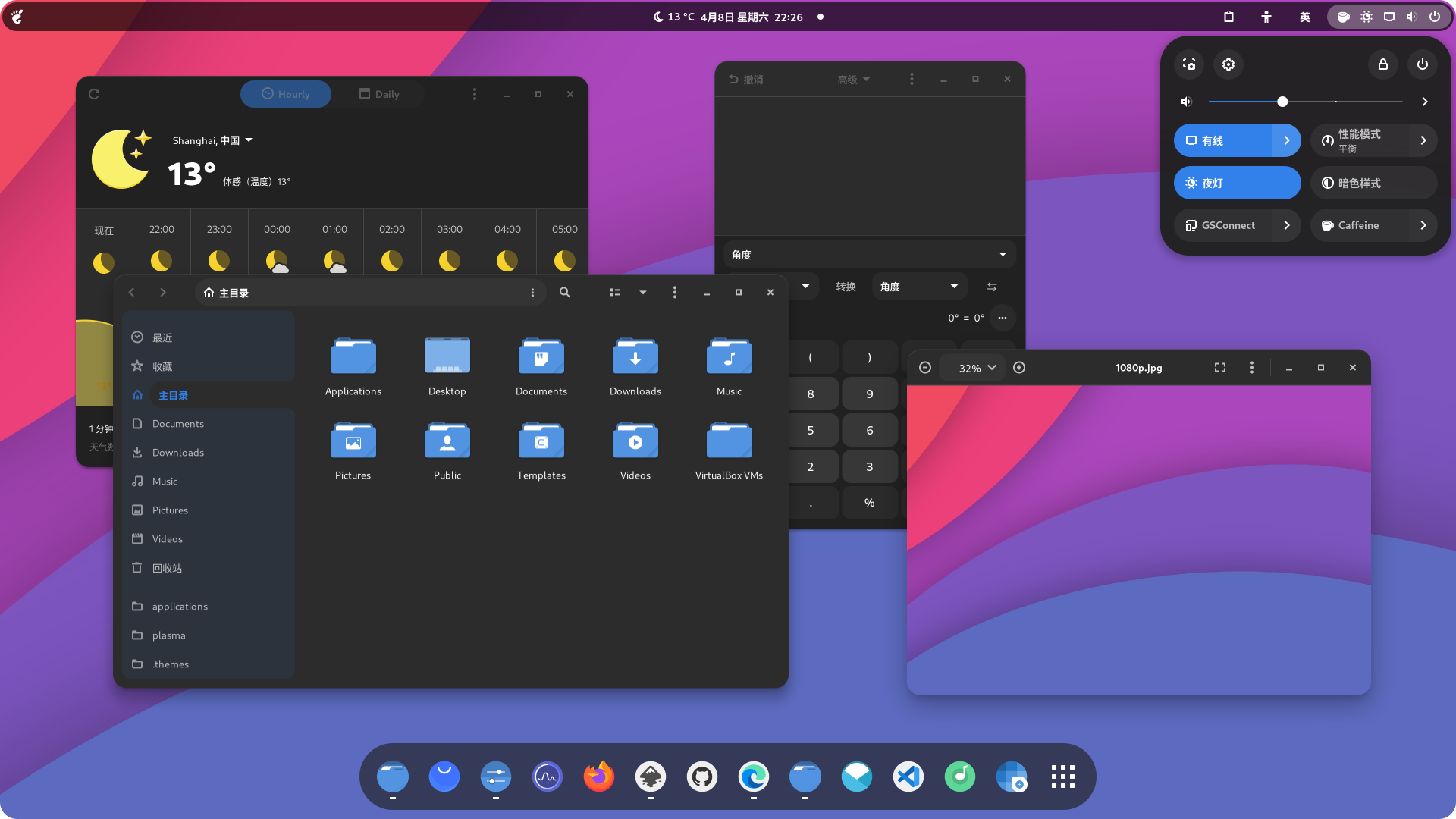
Orchis is a Material Design theme for GNOME/GTK based desktop environments.
Based on nana-4 -- materia-theme
Requirements
- GTK
>=3.20 gnome-themes-extra(orgnome-themes-standard)- Murrine engine — The package name depends on the distro.
gtk-engine-murrineon Arch Linuxgtk-murrine-engineon Fedoragtk2-engine-murrineon openSUSEgtk2-engines-murrineon Debian, Ubuntu, etc.
sassc— build dependency
Donate
If you like this project, consider supporting it with a coffee:

Installation
Manual Installation
Run the following commands in the terminal:
./install.sh
Tip
./install.sh allows the following options:
OPTIONS:
  -d, --dest DIR          Specify destination directory (Default: $HOME/.themes)
  -n, --name NAME         Specify theme name (Default: Orchis)

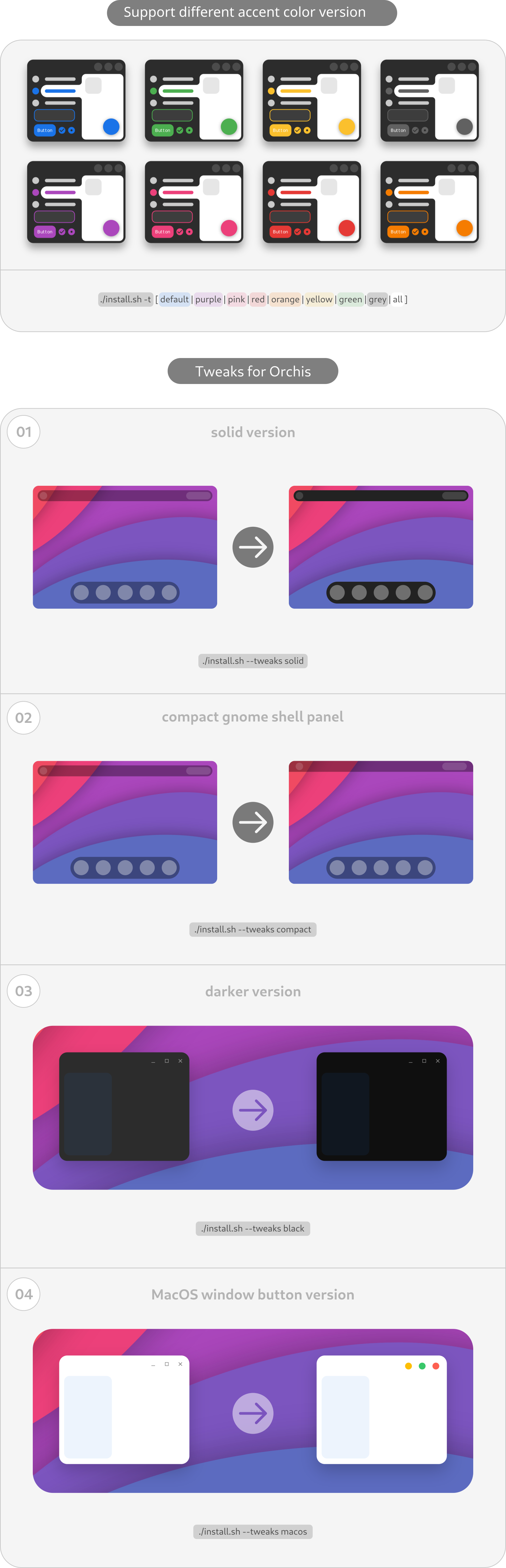
  -t, --theme VARIANT     Specify theme color variant(s) [default|purple|pink|red|orange|yellow|green|teal|grey|all] (Default: blue)
  -c, --color VARIANT     Specify color variant(s) [standard|light|dark] (Default: All variants)s)
  -s, --size VARIANT      Specify size variant [standard|compact] (Default: All variants)

  -i, --icon VARIANT      Specify icon variant(s) for shell panel activities button
                          [default|apple|simple|gnome|ubuntu|arch|manjaro|fedora|debian|void|opensuse|popos|mxlinux|zorin|endeavouros|tux|nixos|gentoo|budgie|solus|kali]
                          (Default: ChromeOS style)

  -l, --libadwaita        Link installed Orchis gtk-4.0 theme to config folder for all libadwaita app use Orchis theme
  -f, --fixed             Fixed accent(blue) color for gnome-shell >= 47 libadwaita theme

  --tweaks                Specify versions for tweaks [solid|compact|black|primary|macos|submenu|(nord/dracula)] (Options can mix)
                          1. solid              No transparency panel variant
                          2. compact            No floating panel variant
                          3. black              Full black variant
                          4. primary            Change radio icon checked color to primary theme color (Default is Green)
                          5. macos              Change window buttons to macOS style
                          6. submenu            Set normal submenus color contrast (dark submenu style on dark version)
                          7. [nord|dracula]     Nord/dracula colorscheme themes (nord and dracula can not mix use!)
                          8. dock               Fix style for 'dash-to-dock' or 'ubuntu-dock' extension

  --round                 Change theme round corner border-radius [Input the px value you want] (Suggested: 2px < value < 16px)
                          1. 3px
                          2. 4px
                          3. 5px
                          ...
                          13. 15px

  --shell                 install gnome-shell version [38|40|42|44|46] (Without this option script will detect shell version and install the right theme)
                          1. 38                 Gnome-shell version <= 38.0
                          2. 40                 Gnome-shell version = 40.0
                          3. 42                 Gnome-shell version = 42.0
                          4. 44                 Gnome-shell version = 44.0
                          5. 46                 Gnome-shell version = 46.0
                          6. 47                 Gnome-shell version = 47.0
                          7. 48                 Gnome-shell version = 48.0

  -r, --remove,
  -u, --uninstall         Uninstall/Remove installed themes

  -h, --help              Show help
For more information, run:
./install.sh -h
Tweaks for Orchis
Fix for libadwaita (Gnome-shell >= 42.0)
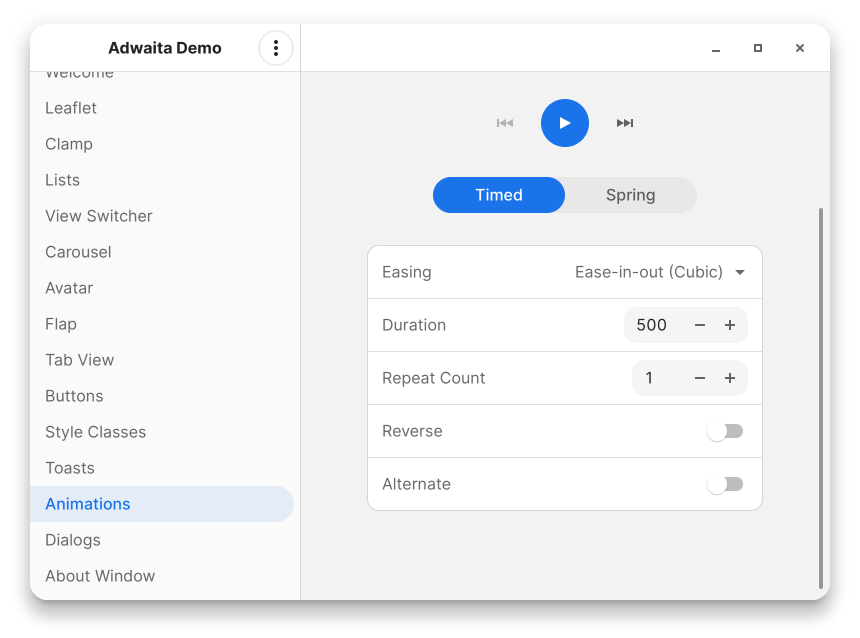
run: ./install.sh -l (Default light version will installed)
This fix is just a link from selected Ochis gtk-4.0 theme in $HOME/.theme to $HOME/.config/gtk-4.0/gtk.css
so it will not support change theme through Gnome-tweaks
if you want install other theme version for libadwaita you can run like:
./install.sh -c dark -l #(Link dark version)
./install.sh -c dark -t purple -l #(Link dark purple version)
and so on ...
Fix for Flatpak
sudo flatpak override --filesystem=xdg-config/gtk-3.0 && sudo flatpak override --filesystem=xdg-config/gtk-4.0
If you use flatpak apps, you can run this to fix theme issue.